A desk that knows what is on air
Packet Studio works with the RØDECaster Pro II. You keep working on the desk; the screen keeps up.
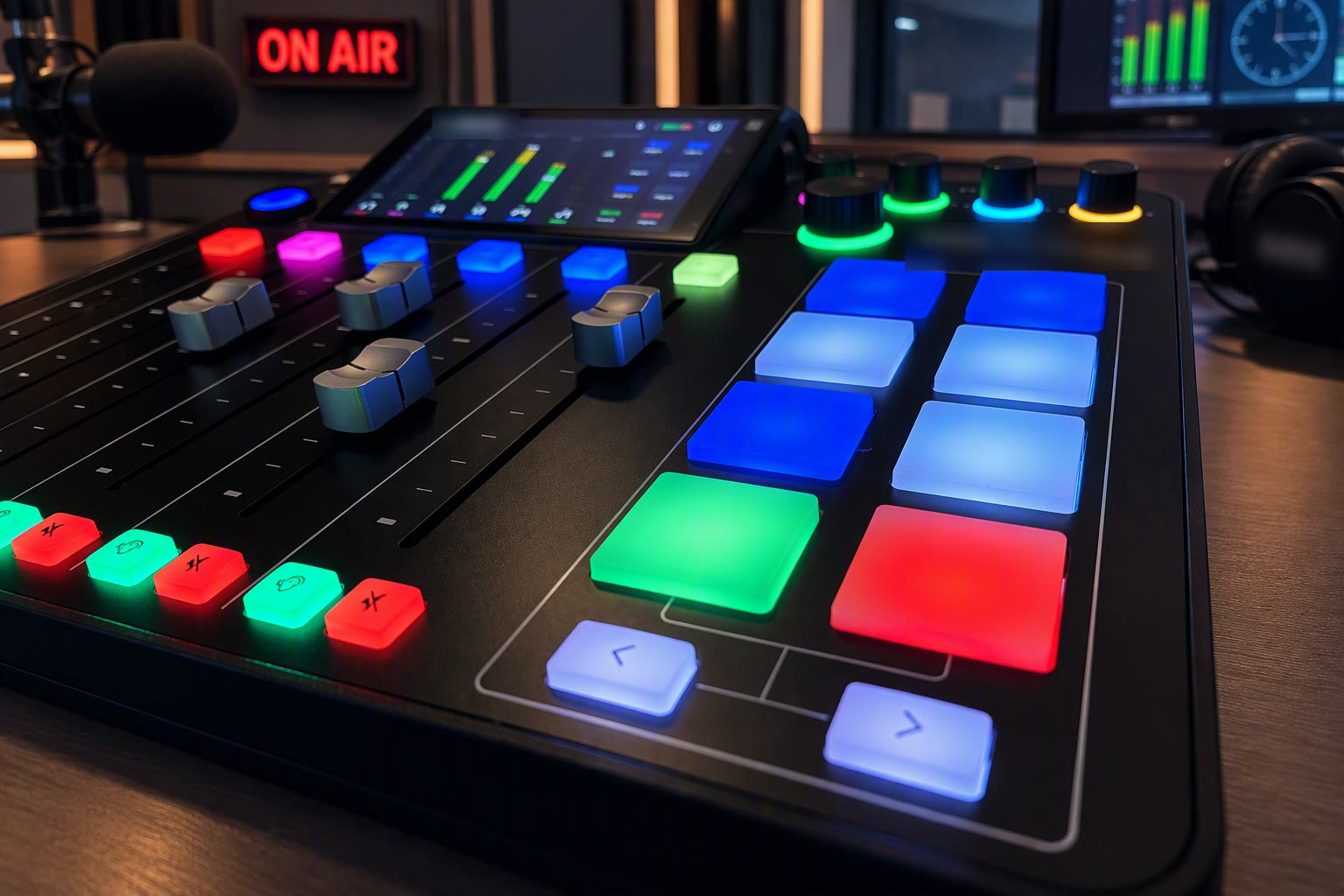
What the desk does
Fader start
Each player follows its fader: up to start, down to stop, at points you can adjust. The button above can start or stop it too. A fader already up never starts anything, and on stop you choose re-cue or eject.
Pads
Learn a pad in one press and give it a cart, Play or Stop. Pads light in Packet Studio's colours: carts in their own, flashing while they play, Play green and Stop red.
Play pad countdown
Before an on-air song's segue, the Play pad flashes: slowly from 30 seconds, faster from 10, very fast from 5. You know when to talk without looking at the screen.
Mute and PFL in sync
Desk mute and PFL show on each player and stay in step both ways. A player that is faded down or muted shows OFF AIR, and its play is left out of the as-played report.
MIC LIVE
Move a fader to mark it as a mic. A MIC LIVE box goes red when a mic fader is up and its channel is not muted. Packet Studio never changes a mic channel.
Desk levels
Fader positions, headphone levels and the monitor and main knobs, shown on the Deck next to the QuickCarts, so the screen always matches the desk in front of you.
Desk integration is for the RØDECaster Pro II. No other desks are supported yet.
Another desk?
Tell us what is in your studio, get in touch, and it will help us choose what to support next.
Other sound cards and interfaces already work: Packet Studio routes to any audio device your operating system offers, including several at once.