Packet Studio
Core holds the library and the schedule. Matrix plays the audio. Deck is the presenter's screen. The three work together across a station or a building. For the studio desk, see desk integration.
CoreMatrixDeckThe appListening page
Library and scheduling (Core)
Core is the one place your music and logs live. It sits on the central server; studios and nodes cache what they need, just in time.
- Central library
- Point it at your media folders. Music plays from where it already lives, with no copies of your library, and you choose where the library data is kept.
- Big files
- Upload files up to 1 GB from the web Deck's library, and fetch remote files up to 1 GB on a schedule. An upload that drops resumes where it stopped.
- Quick scan
- The library is ready to use within minutes of an import, while the full analysis carries on in the background.
- Automatic markers
- Cue in, intro, segue (fade or cold) and cue out are detected on import, together with BPM and a beat grid. Intro detection finds where the vocal comes in.
- Review, never lose a correction
- Each marker has a confidence score. Review in a waveform editor where you select, then set. Re-analysis never overwrites a marker you have reviewed.
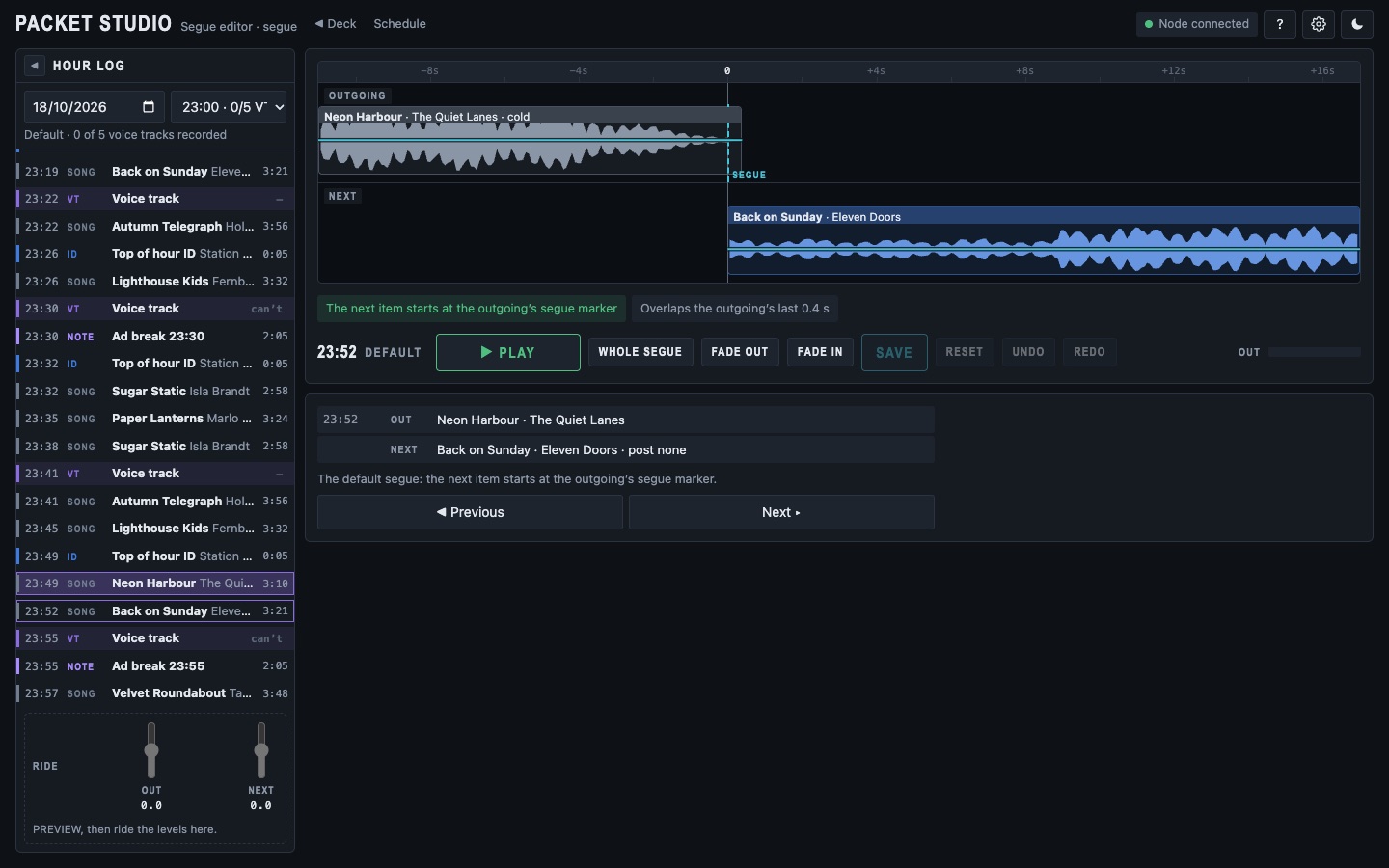
- Segue editing
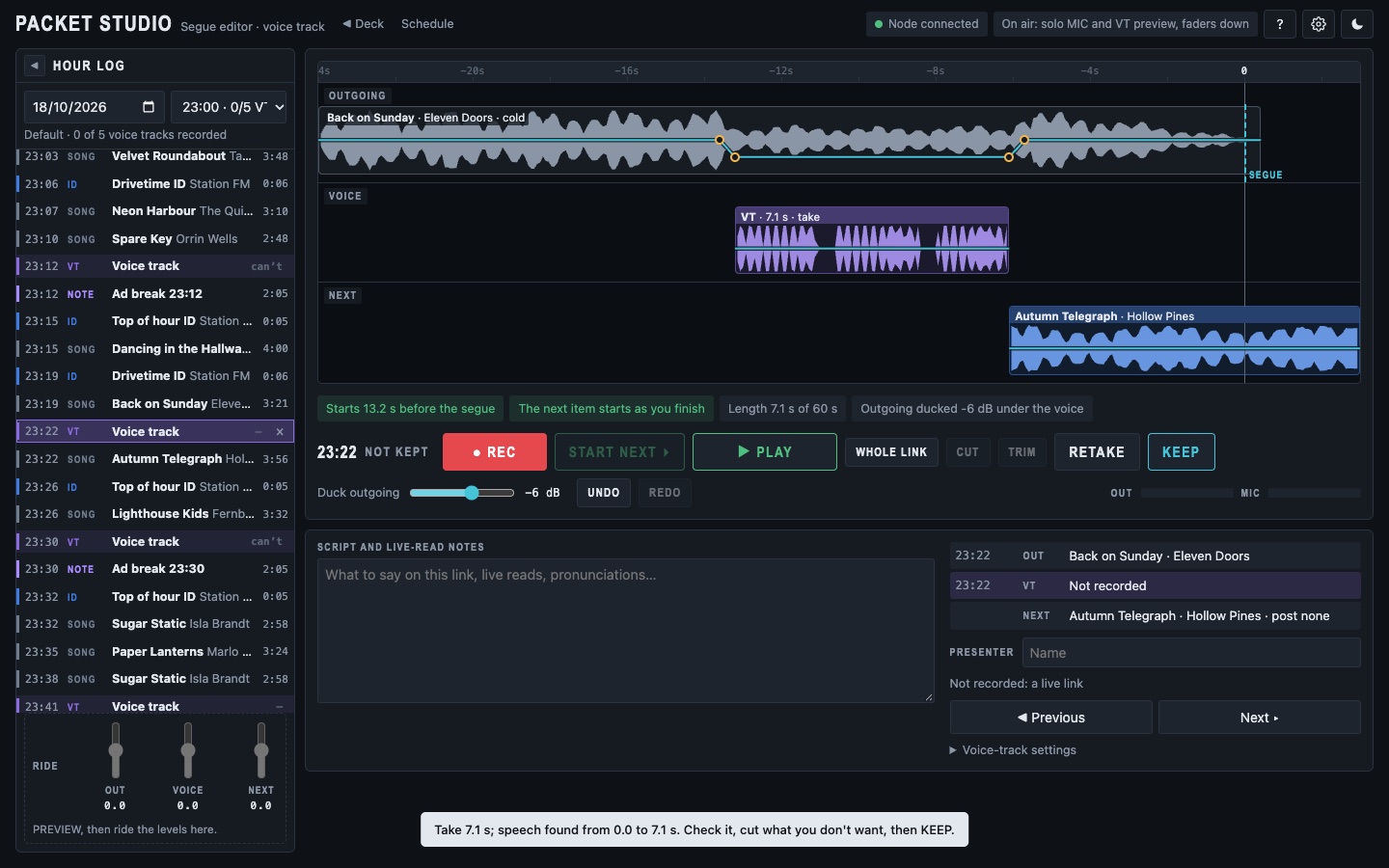
- Shape how one song fades into the next. The editor opens on the next segue, and you can edit the segue out of the item on air until 30 seconds before it plays.
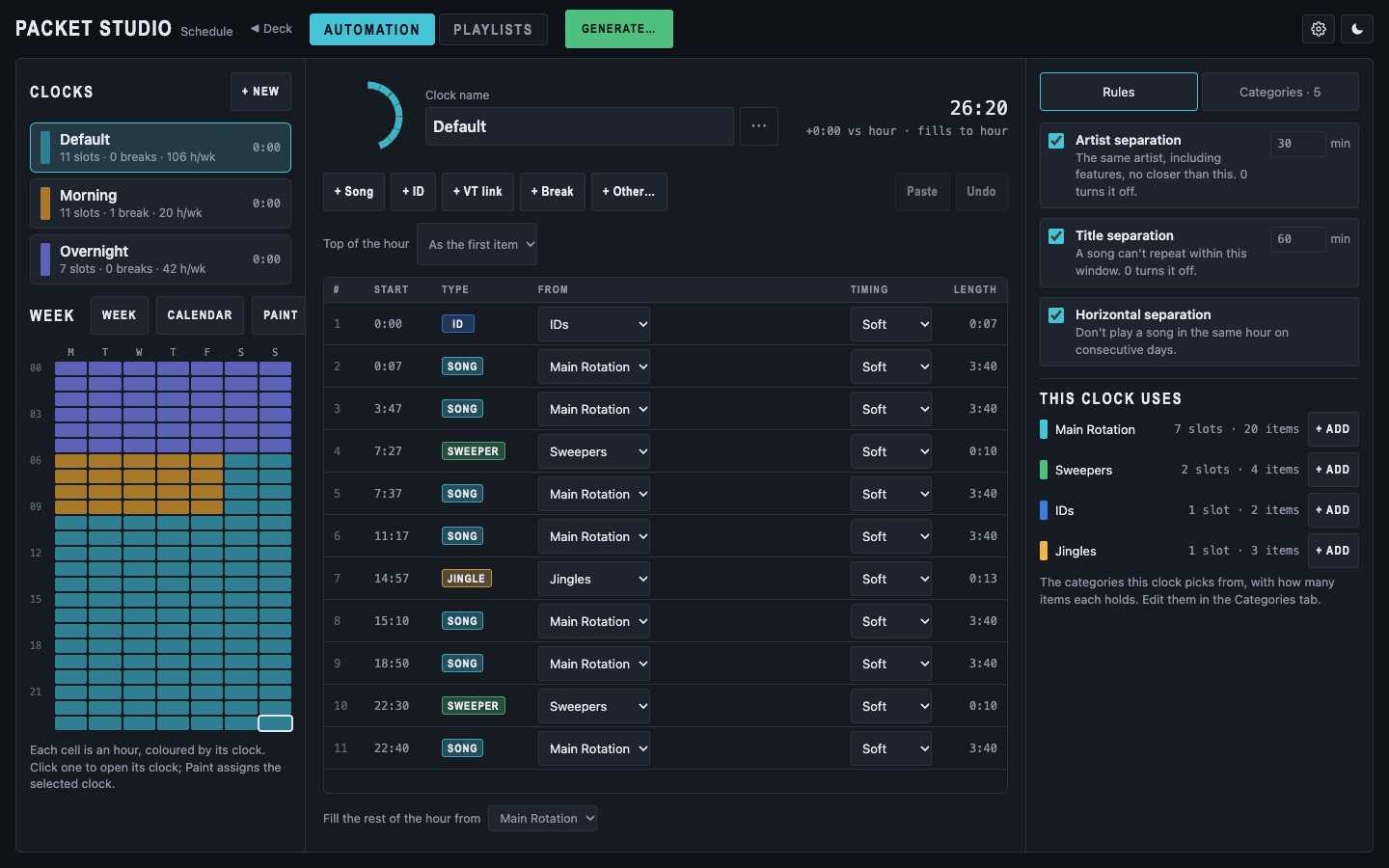
- Scheduling
- Categories, clocks, a week grid and rules build hourly logs. Edit any hour by hand, with rule violations flagged.
- A Schedule page
- A list of your clocks beside the week grid. The clock editor shows running times, and categories drag into place. A ring view shows the hour as a circle.
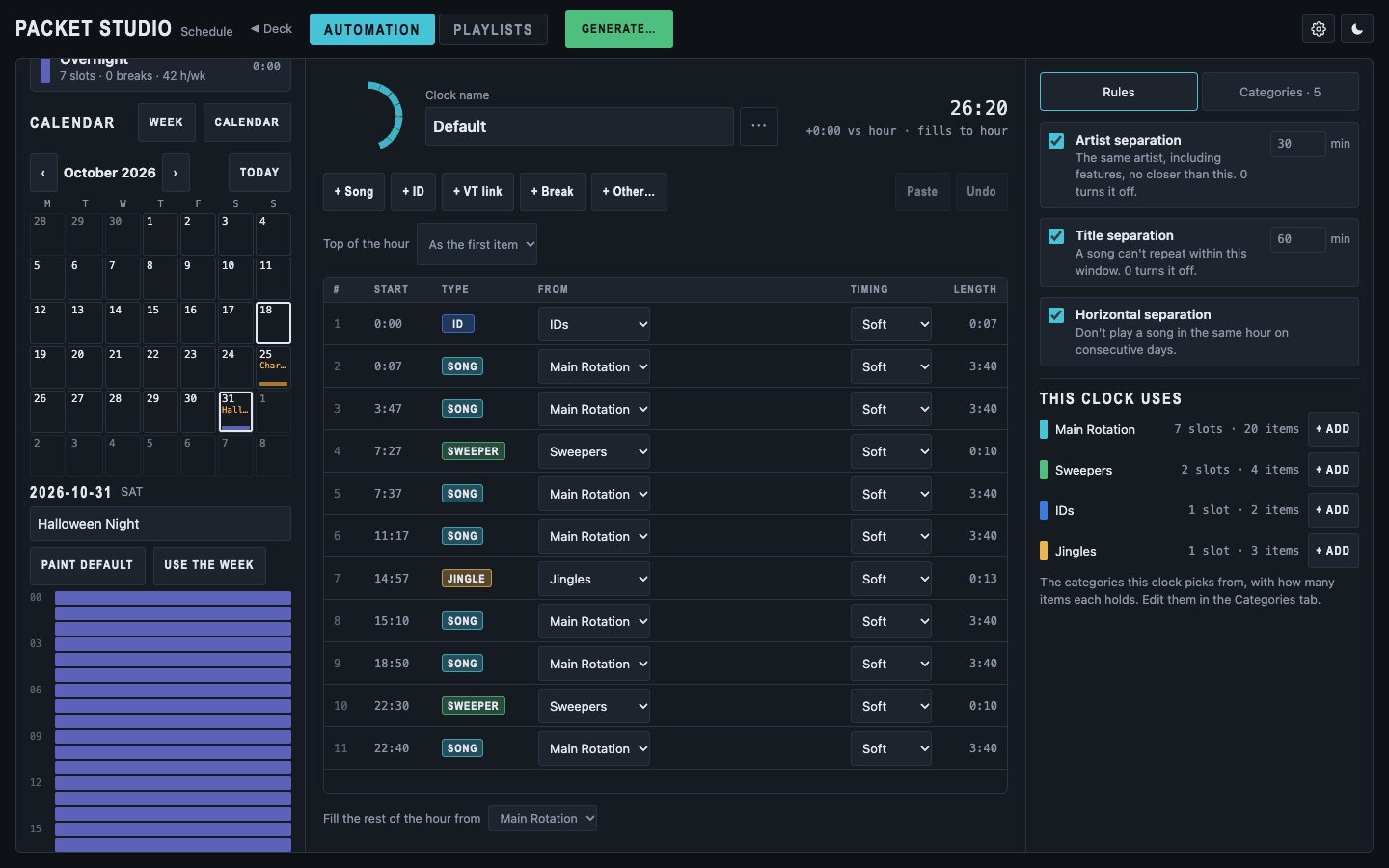
- Special days
- A calendar gives bank holidays, Christmas and other special days their own clocks, with the normal week back the day after.
- A clock ready to use
- A default clock comes ready-made, with IDs, voice-track links and ad breaks, so a new station has a working log from the start.
- Ad breaks
- Clocks fill each break with adverts to fit its length, and no advertiser plays twice in one break.
- Advert and Promo types
- Mark media as Advert or Promo, alongside songs, IDs, sweepers and the rest, so each can be scheduled and reported on its own.
- Types that look wrong
- The library flags items whose type looks wrong, so they can be fixed before they reach the log.
- Top of the hour
- Choose a hard or soft top of the hour for each clock, and start junctions before the hour so what follows lands on time.
- Reporting
- Export an as-played record for music reporting. Only plays heard on air are counted.
Playout (Matrix)
Matrix is the engine. It plays, mixes and routes the audio, and keeps playing from its cache if the server goes away.
- Chained players
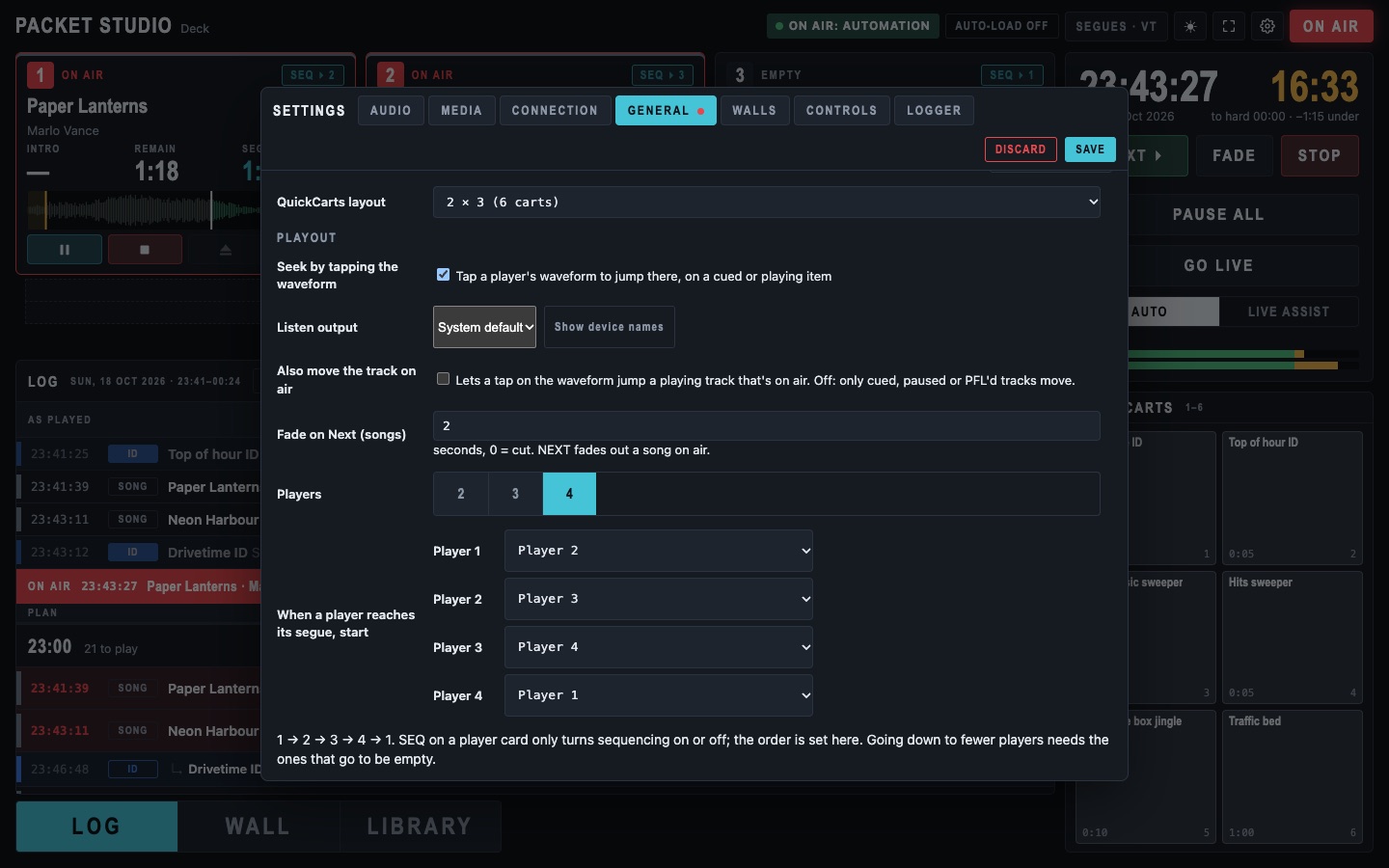
- Two, three or four players in a chain, with SEQ per player, auto-load, eject and held, per-player queues, and carts.
- Choose the hand-over
- Each player hands over to the player you choose, or to itself for carts, beds or an ad break.
- Sample-accurate segues
- The follower is armed as a mixer trigger, so segues land on the frame, with SEQ decided at that moment.
- Multiple sound cards
- Per-device routing, separate Preview and Cut outputs and a programme return, with drift on each card corrected and reported. A card that disappears never stops playout; hot-plugged interfaces are picked up.
- Automation into your streaming server
- A core node runs unattended into your streaming server, and the studio goes live with GO LIVE.
- Going live in step
- The studio first plays along with the station, in time with what is on air, then switches over, so listeners hear no jump. It learns its own timing, so each switch lines up faster. If the song is not in both libraries, it switches at the next song.
- Handing back
- The station takes over straight away from a copy it has kept playing in time, so nothing is cut short. A Force button switches either way at once. If the copy is not in step, it switches at the next song.
- Now playing
- Songs, and only songs, go to your streams, RDS and DAB, with your station strapline in between.
- Audio logger
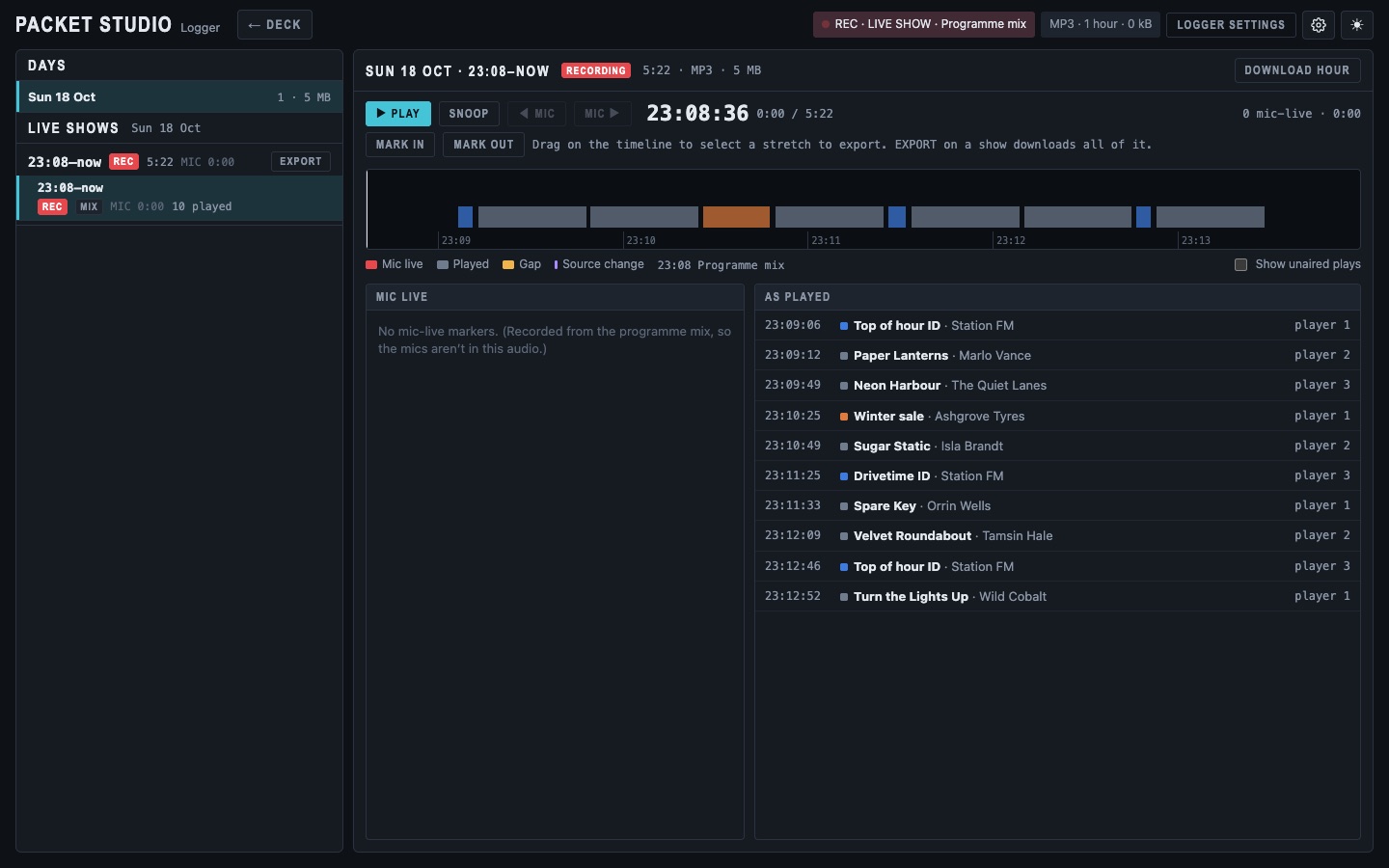
- Live shows are recorded, hour by hour, with the as-played list beside the audio.
- Ready when you go live
- A studio left on standby reloads the log at the top of every hour, so it is in step the moment someone takes over.
- Wall clock feed
- Studio clocks and other playout systems can follow what is on air, what is next and the time to the next hard-timed item. Clocks find the studio on the network by themselves and can show meters.
- Studios and servers apart
- A studio can connect securely to a central server somewhere else, so the library does not have to be in the same building.
- Built to be boring on air
- The audio engine is kept simple and steady, so nothing else on the computer gets in its way.
The presenter's screen (Deck)
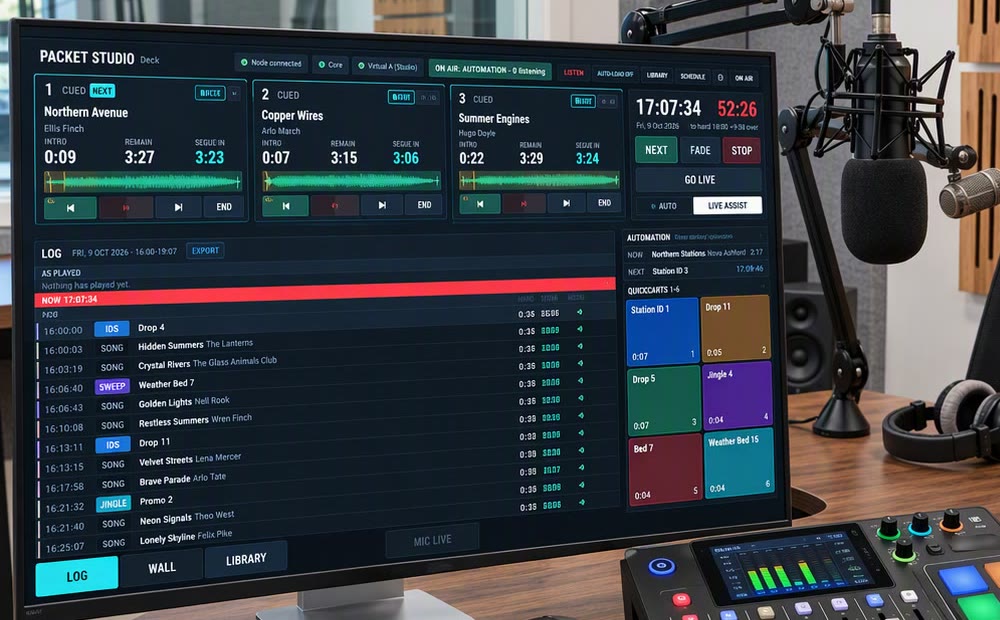
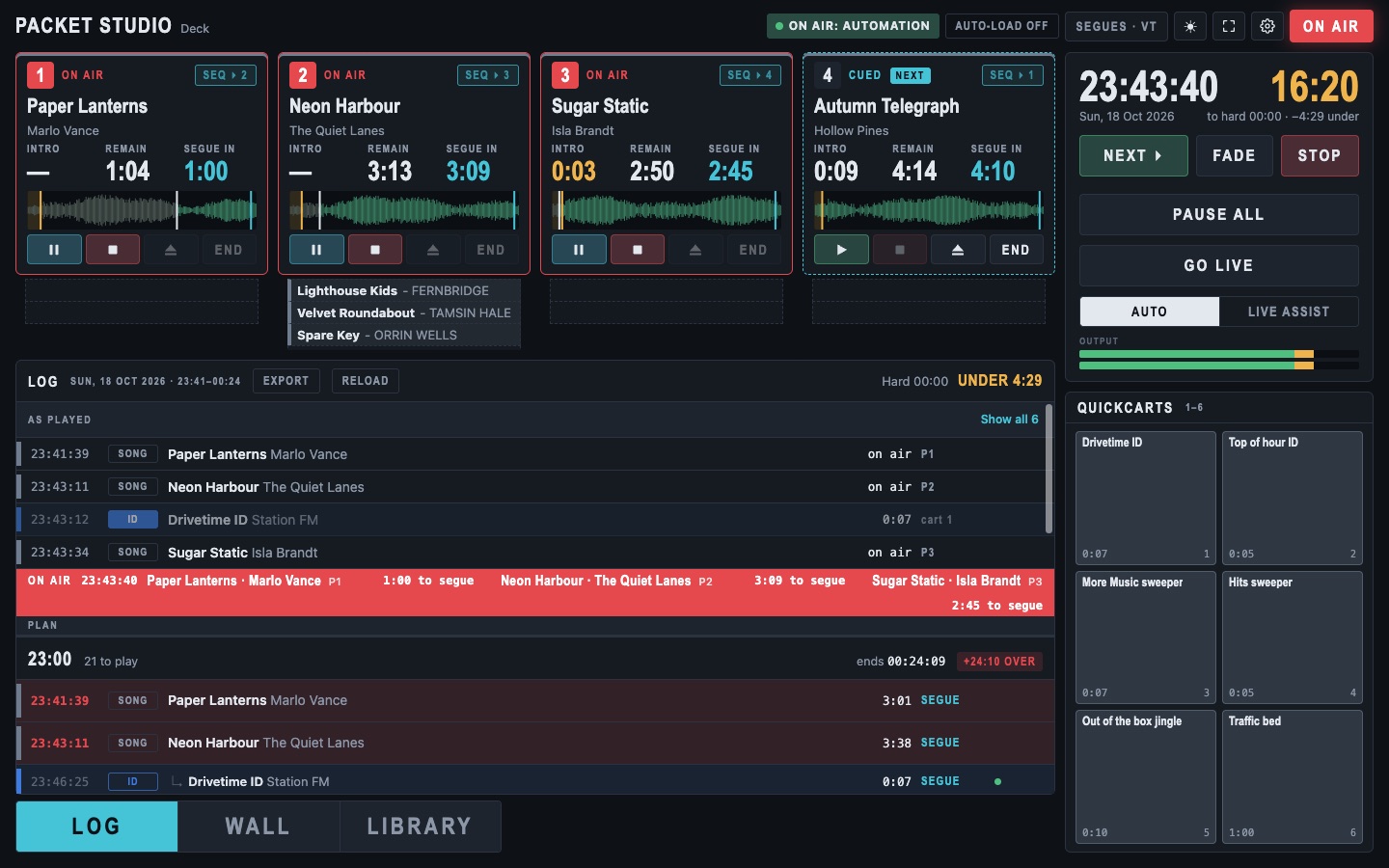
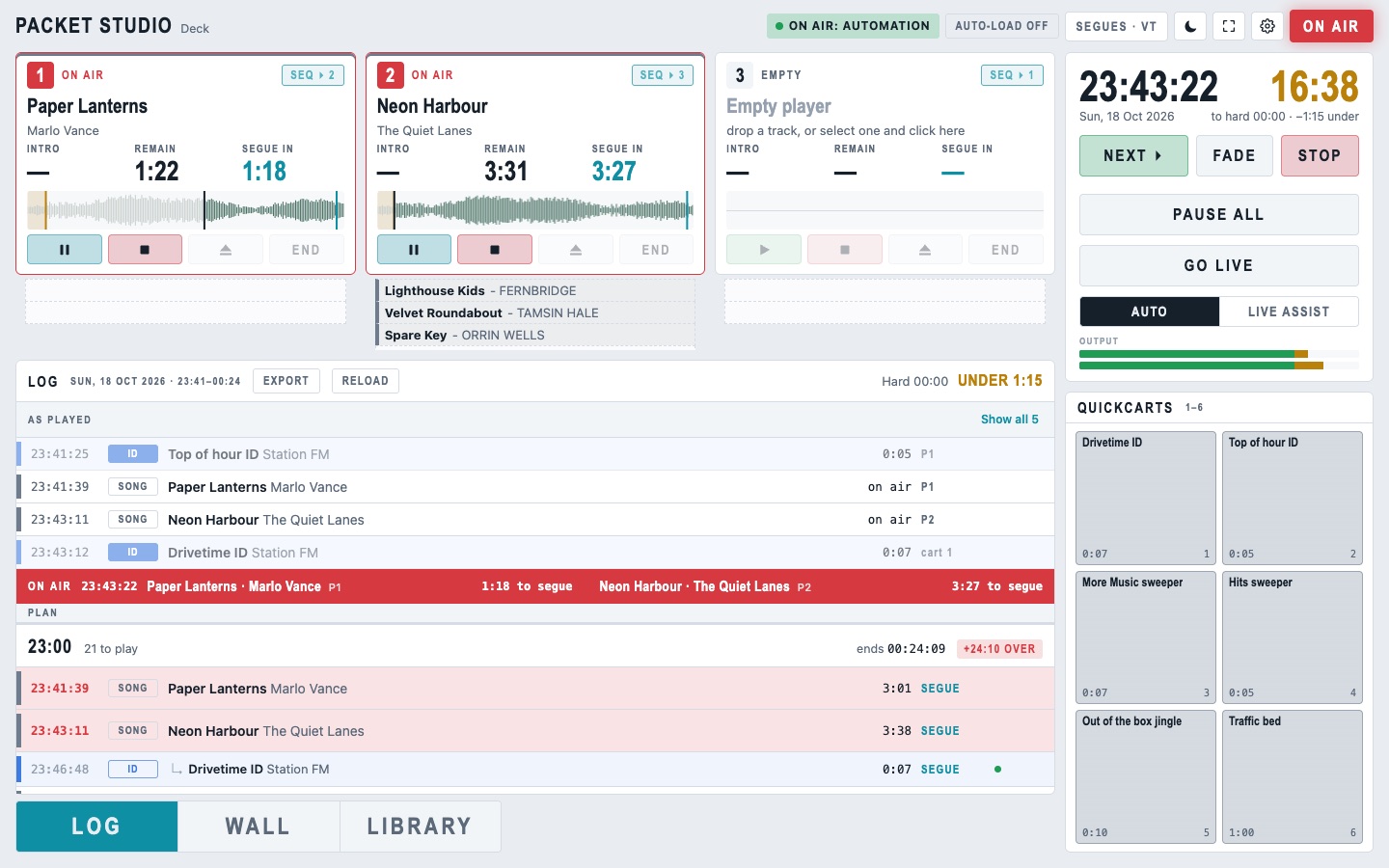
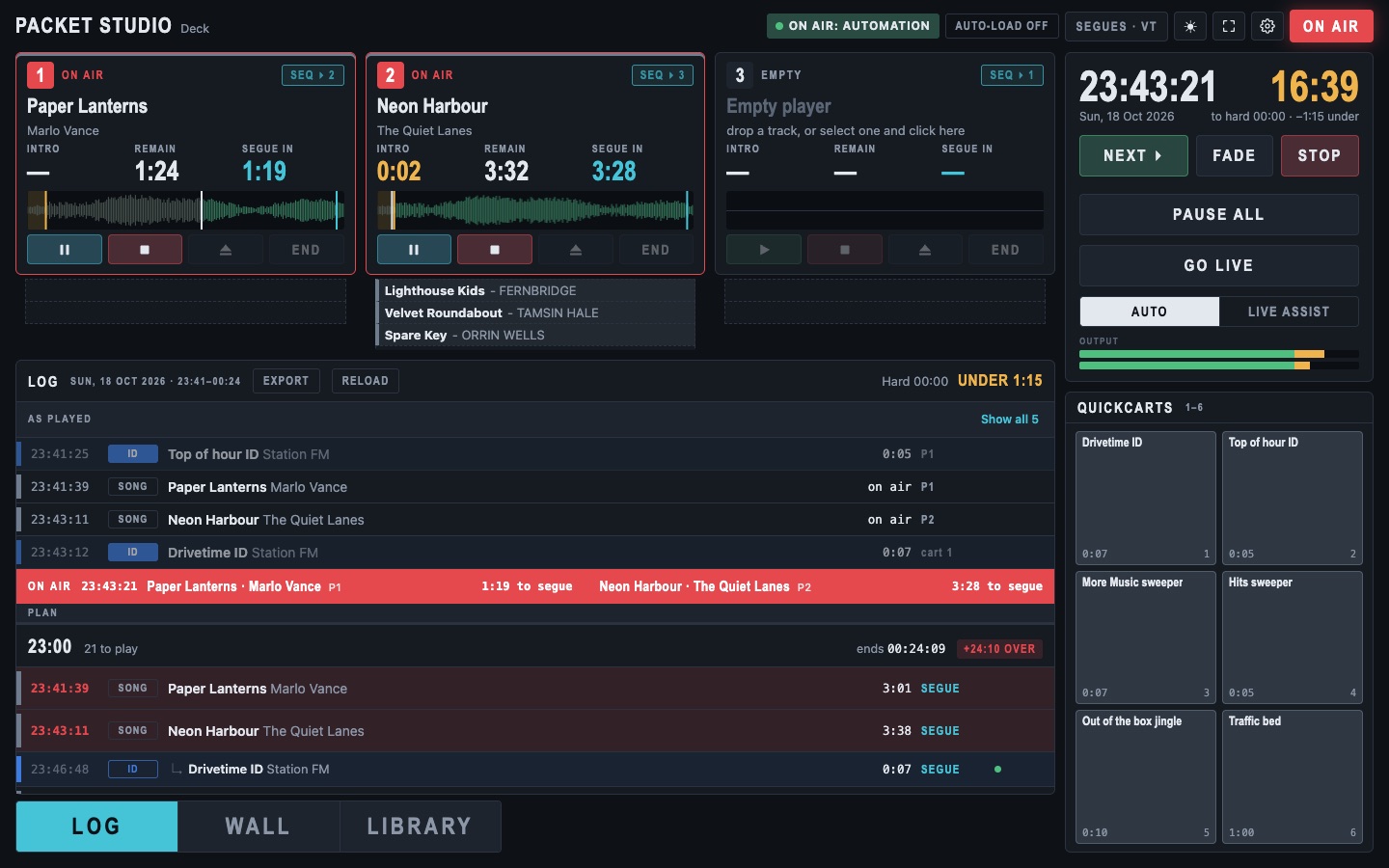
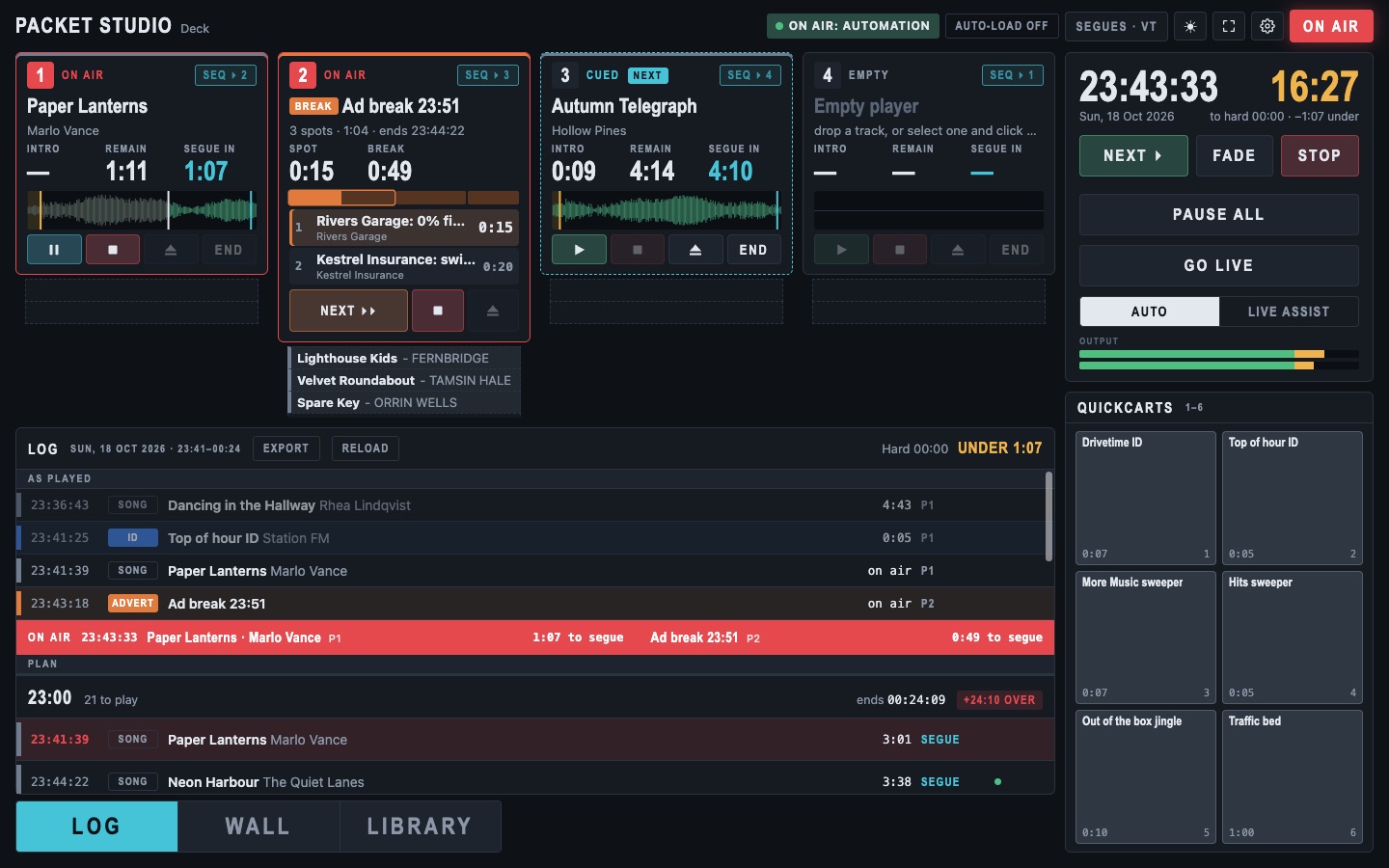
Deck is what the presenter sees: fast, high contrast, readable from a distance, and the same screen on a laptop or a studio monitor.
- Players and log
- Two to four players with muted waveforms and marker lines, and a clear segue countdown. The log beside them is sized for touch screens, with a NOW bar and each hour's over or under time in its header.
- Button walls
- Per-show 6 × 4 walls with folders and media folders. Tiles inherit colours, and a loaded item carries its source colour through the players, queues and carts.
- QuickCarts
- Eight always-visible carts for IDs, sweeps and beds.
- MIC LIVE
- A box that goes red and pulses when a mic fader is up and the channel is not muted. Packet Studio never touches a mic channel.
- Desk levels
- The desk faders and headphone and monitor levels shown next to the QuickCarts.
- Ad breaks as one item
- A break loads into a player as one item, with its spot list and timers. NEXT SPOT catches up time if the break runs late.
- Proof of broadcast
- Each spot is logged as it plays, for proof of broadcast.
- Silence alarm
- If the studio goes quiet on air, the Deck flashes SILENCE with a timer, and so do wall clocks connected to it. You choose the level and the time. It is a warning only.
- Printed logs
- In the web Deck, print an hour's log for show prep in six layouts, three with your logo and colours, or save it as a PDF. Admins choose which layouts presenters see.
- Listen from the Deck
- Hear the stream from the Deck through the output you choose, with a level meter.
- Players follow your edits
- Auto-loaded players follow changes you make to the log, so what loads is what you can see.
- Help and support
- A Help and support link in the cog menu opens the support pages.
- Live assist chain
- Load, cue and run songs the way presenters expect.
- Edit the hour as it runs
- Insert, replace, remove and move items in the log from its right-click menu, even in the hour that is on air, with undo and redo. Mark items as played by hand, one at a time or everything up to a point.
- Get around a song
- Tap the waveform to move to any point in a track. NEXT fades the song on air instead of cutting it, and pause holds a player where it is.
- Voice tracking
- Record your links into the log ahead of time, or during a live show; they play between the songs as if you were there.
One app for the studio and the roadshow
The Packet Studio app works joined to your station, and it also runs on its own.
- Joined to your station
- Uses the station's library, schedule and logs, and sends your live show to the station.
- Follows the station
- Follows the station's automation while you are off air, plays along in time when you go live, then switches over, and hands back when you finish.
- Listen to the station
- Presenters at a remote studio can hear the station's output on their preview speakers, with the estimated delay shown on the button. It pauses while they are live, and for previews and voice tracking.
- Join with a code
- Joining takes a one-time join code from the station, with nothing to type in settings.
- On its own too
- The same app runs on its own for roadshows and outside broadcasts. Switch between the station and "This computer" in Settings; your own library stays separate from the station's.
A listening page for your station
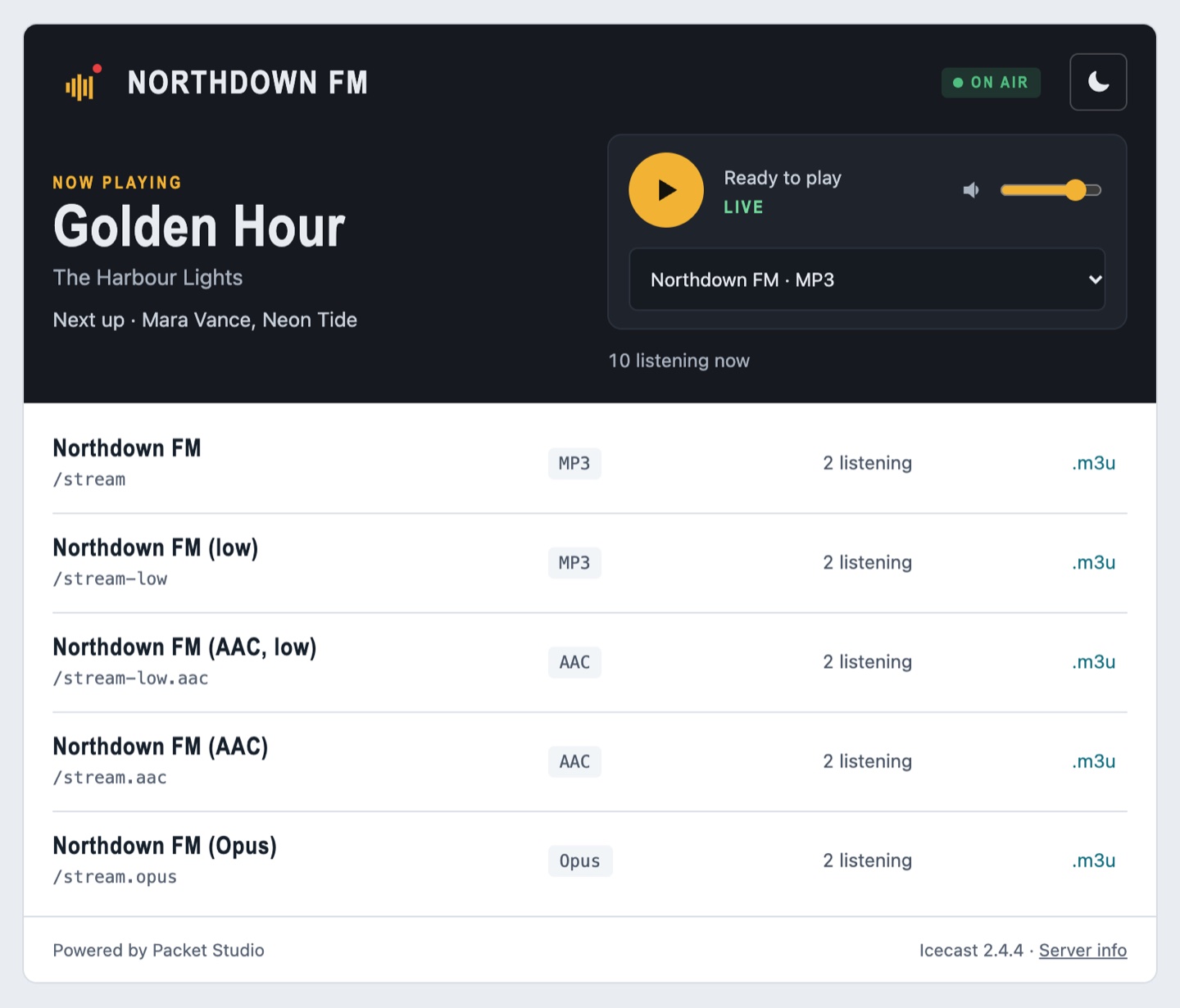
Your station gets its own web page where people can see what is on and listen.
- Now and next
- A page in your station's name showing the song playing now and the next one, updating by itself.
- Listen in one tap
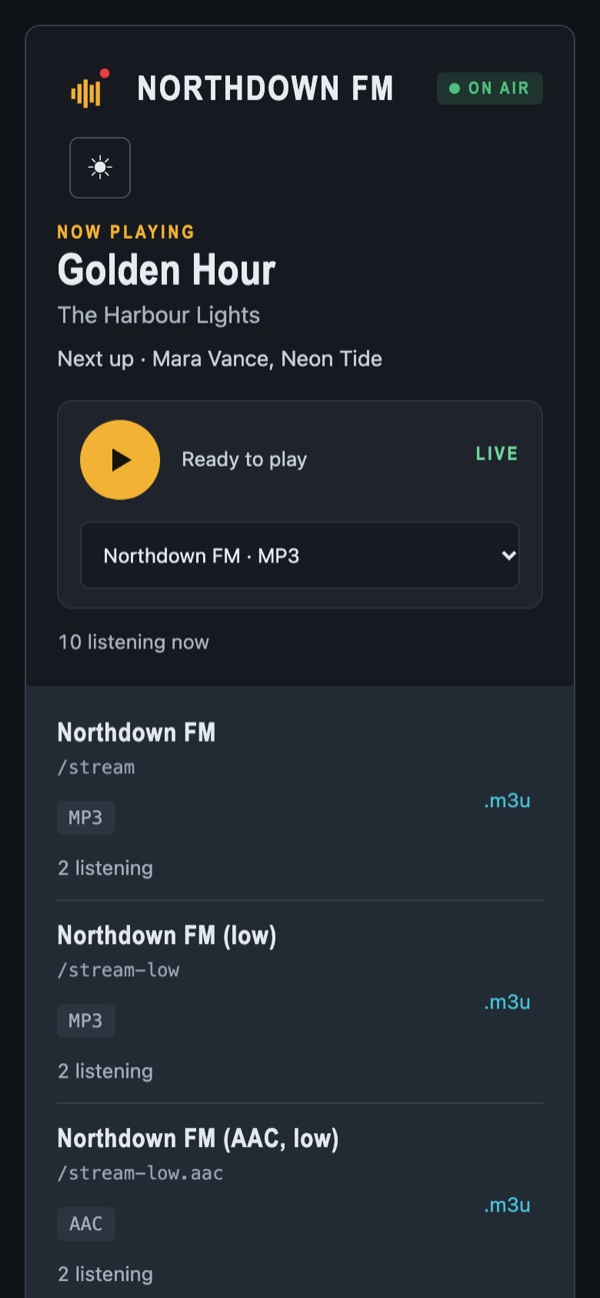
- A built-in player with one button to listen, a volume control and a choice of quality, including low-data streams for phones.
- Every stream
- Each of your streams is listed, with links to open it in a listener's own app. AAC streams are off by default; a station that turns them on is responsible for the AAC patent licence.
- Light and dark, on any screen
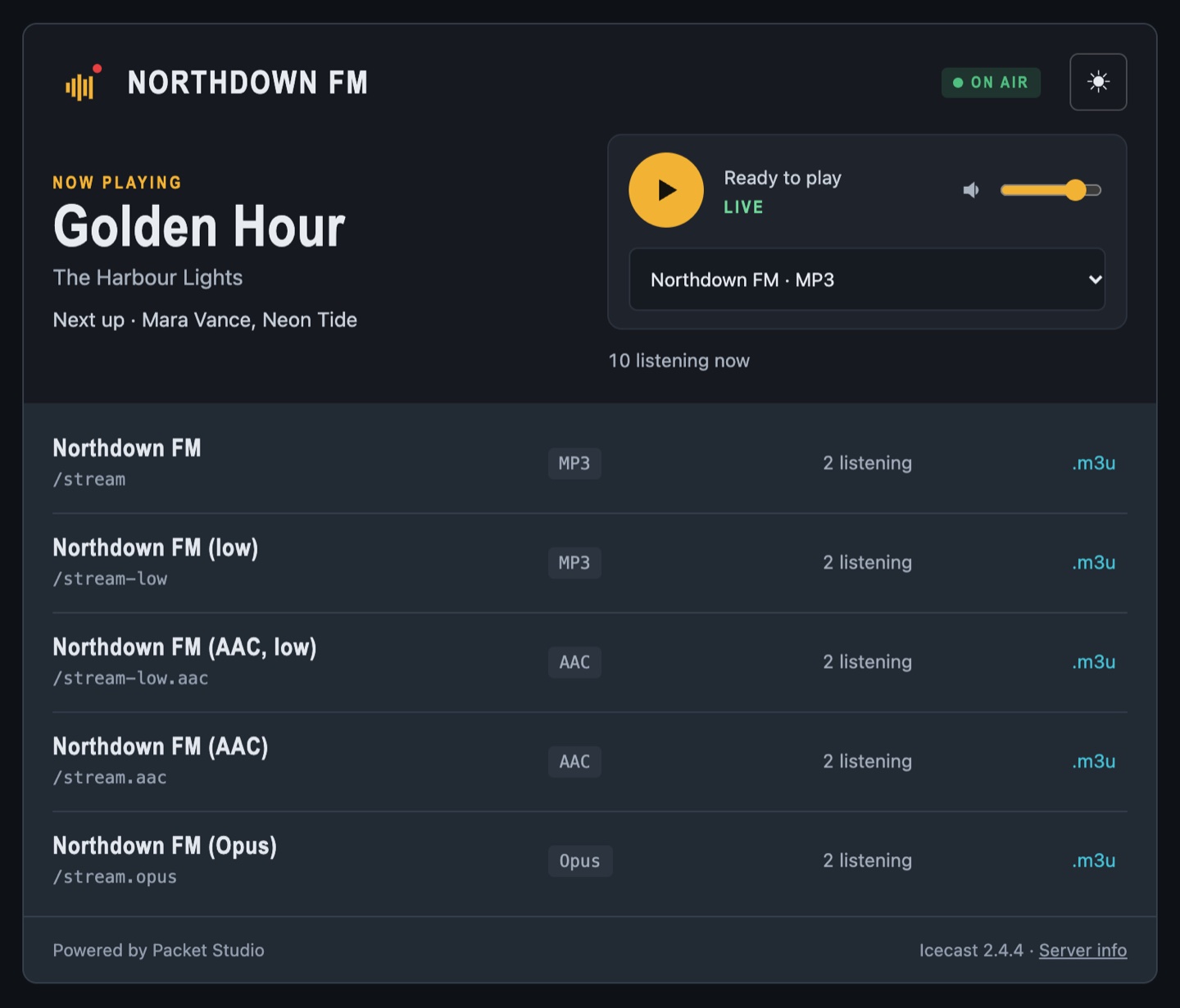
- Works on phones and desktops, in a light or dark look, and is served securely.
- Your own branding
- Add your own logos and a tab icon for the stream page. Your logo also shows in the web Deck and in studios joined to the station.
- Ready for apps
- Your station's name and logo are published for apps and directories, so Packet Studio Player shows your logo and what is on next.