The studio wall clock
Packet Studio Clock
Clock is a wall clock and status screen for the studio, on any screen from a TV to a small Raspberry Pi panel. It follows Packet Studio over the network and only reads from it.
- A broadcast clock
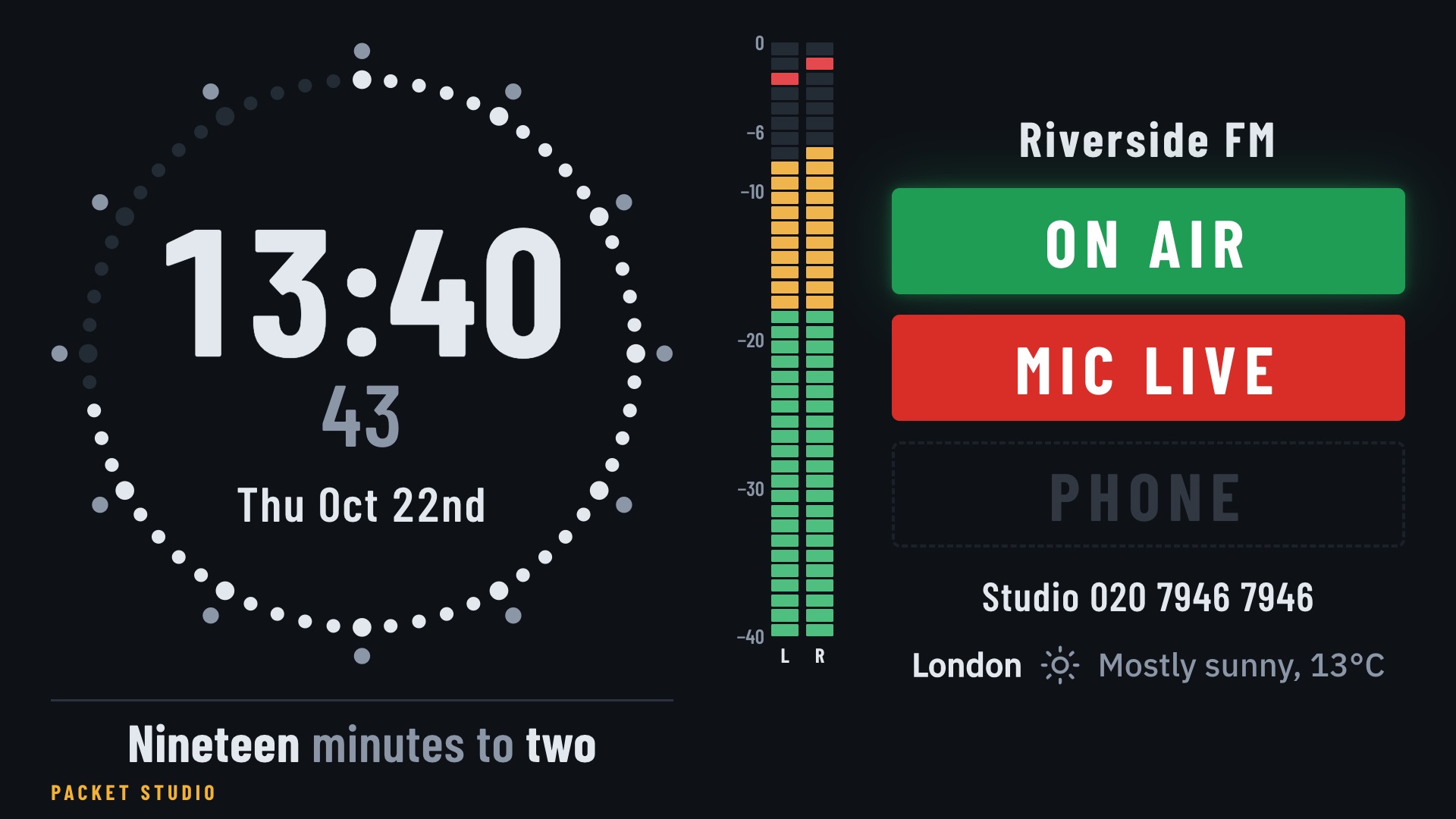
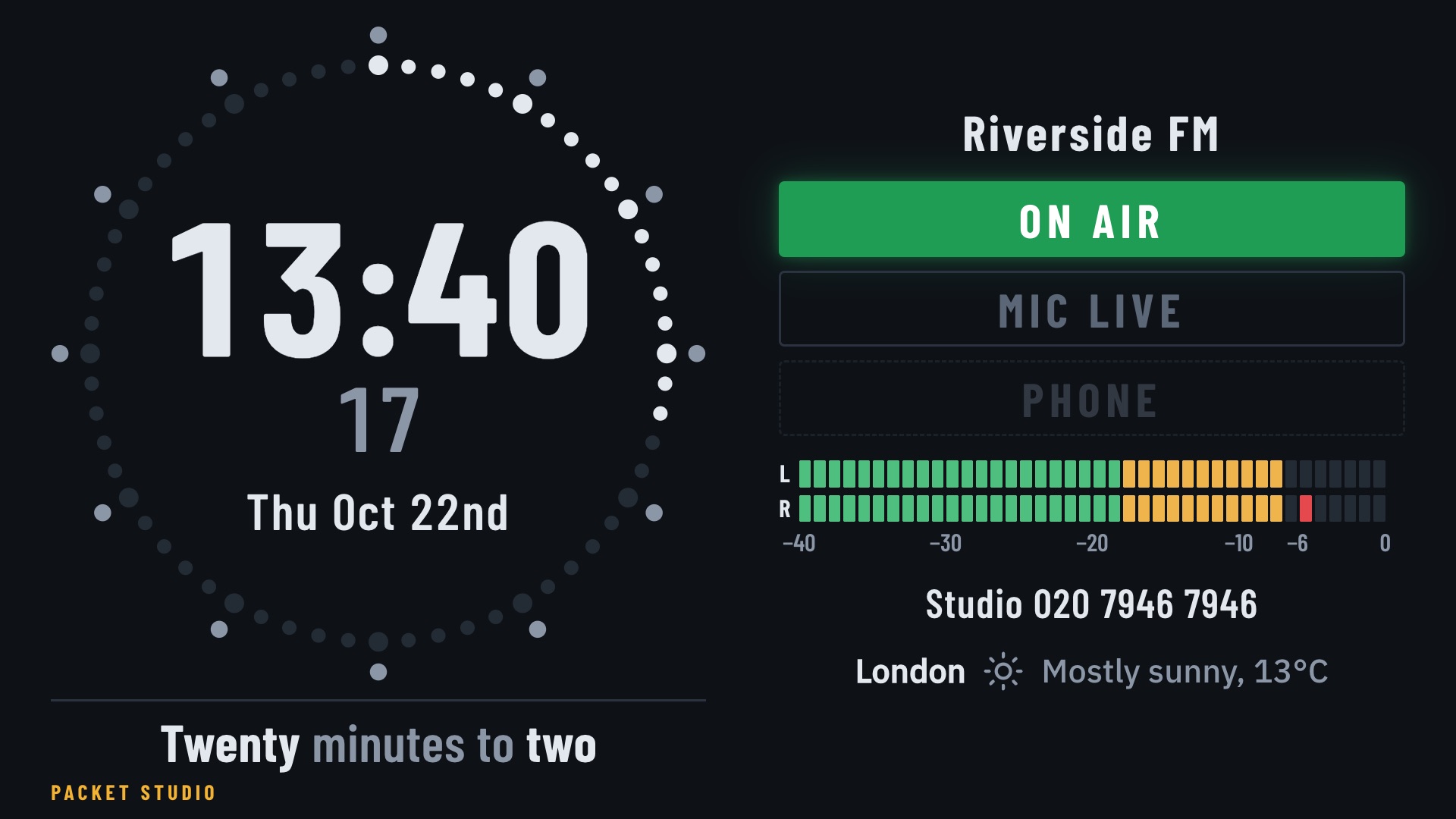
- On the studio's own time: the seconds go round a ring of dots, with the date, and the time in words underneath ("twenty minutes to one").
- ON AIR and MIC LIVE
- Lights the whole room can read, so everyone knows the state of the studio at a glance.
- Your station
- Your station's name and logo, with an optional line of text such as the studio phone number.
- Set up from your phone
- Log in to the clock's web page with a code shown on the screen. Settings sit in tabs with one Save, changed items are marked, and Undo all steps back. The manager address hides after two minutes.
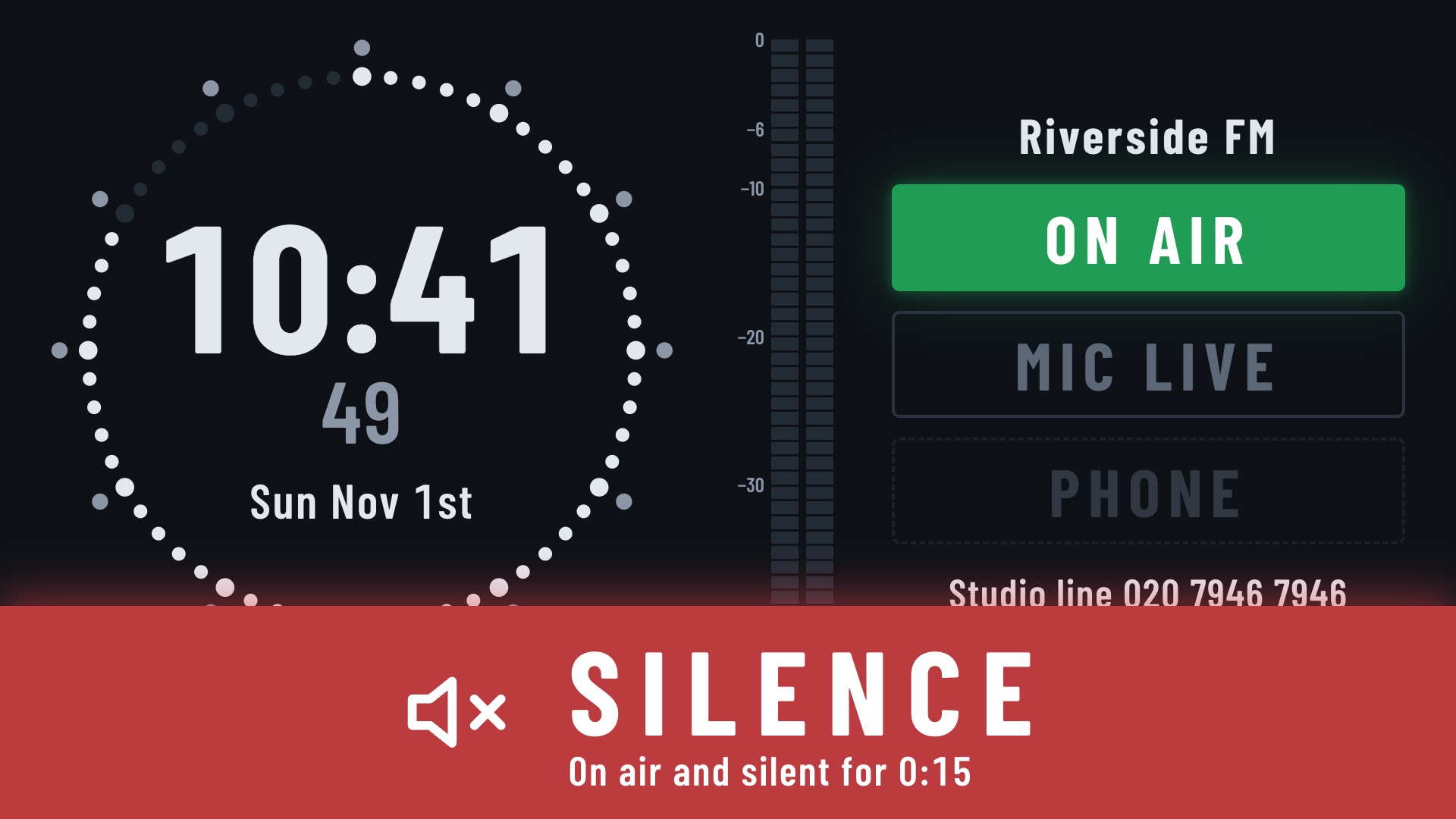
- Silence warning
- A big red pulsing band at the bottom of the screen: "On air and silent for 0:14". It comes from the studio's own silence alarm, so it needs a Packet Studio that sends silence warnings.
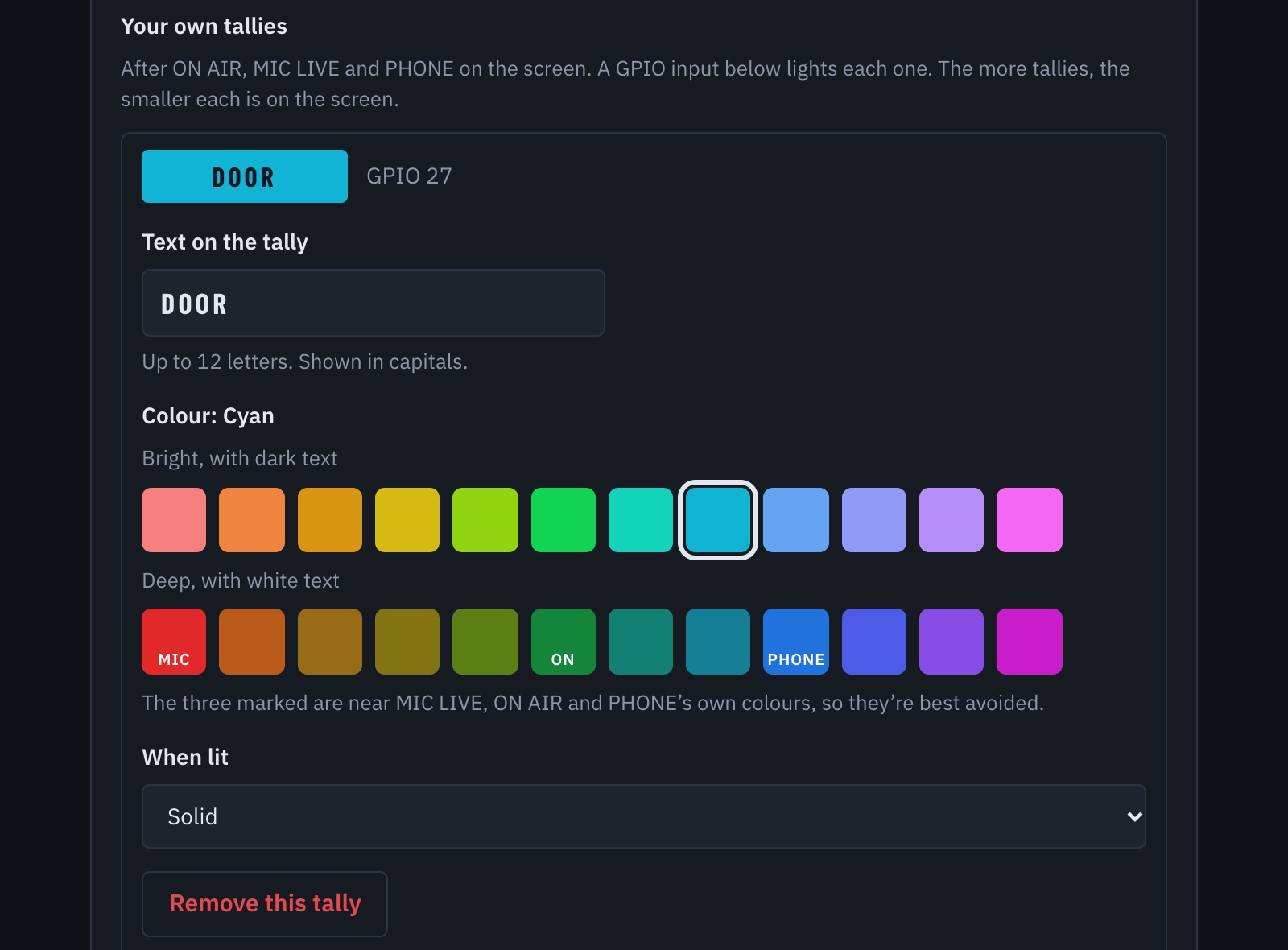
- Your own tallies
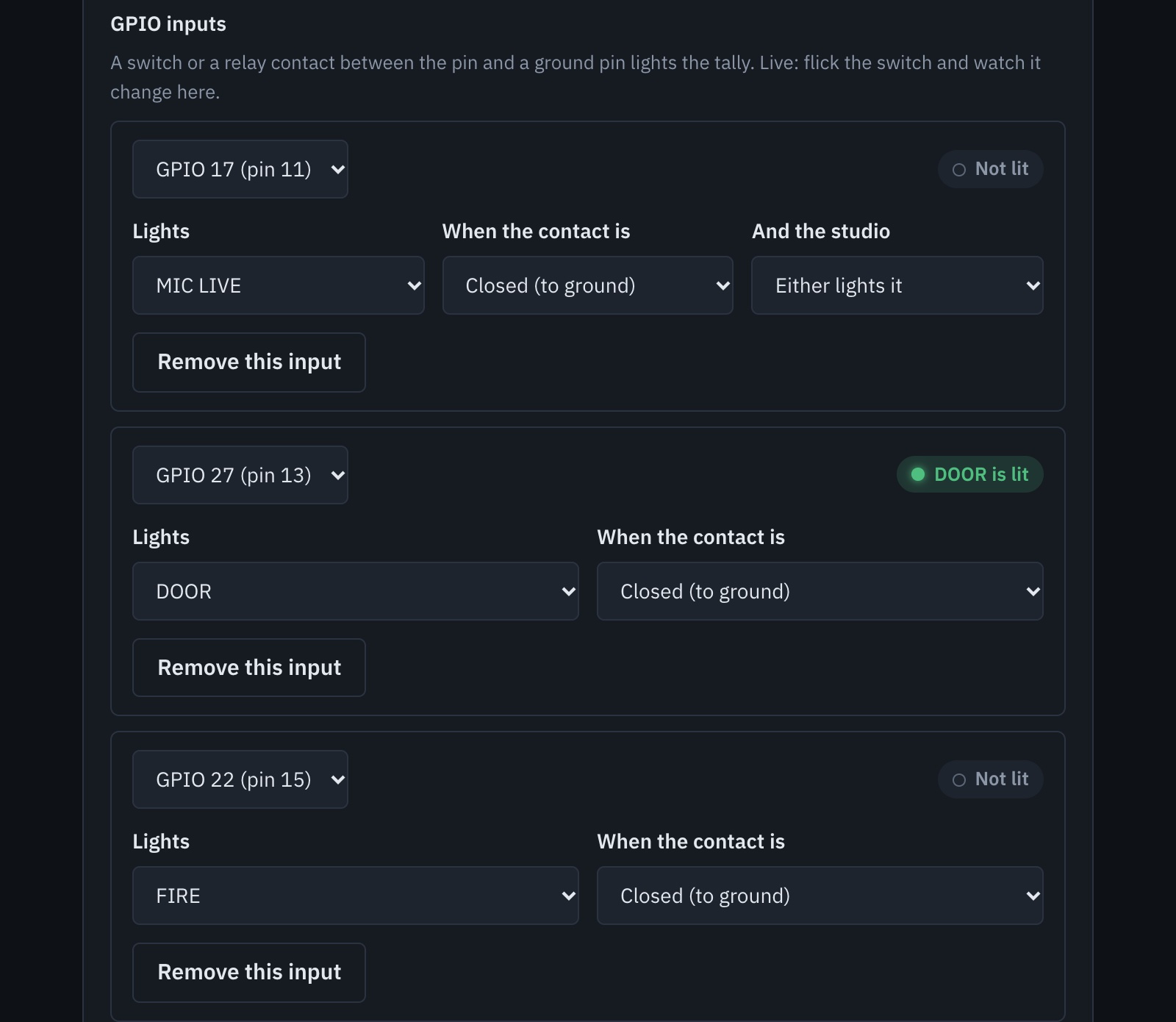
- Add up to four of your own, such as DOOR or FIRE, each with its text, one of 24 colours, and solid, pulsing or flashing. On a Raspberry Pi, a switch or relay contact on a GPIO pin can light one.
- Settings on the card
- On a Raspberry Pi, put a packetstudio-clock.txt file on the card's boot drive to set the station name, studio, time zone and reports level before the first start.
- Finds your studio
- Clocks look for studios on the network by themselves. Pick one from the list, with no address to type.
- Meters
- Left and right meters, peak or VU, with the amber and red levels set to your own.
- Light, dark or follow the sun
- A light theme, or light by day and dark at night. It can also dim at night.
- Weather line
- An optional line with your place, an icon and the conditions, in °C or °F. A long line wraps onto two.
- Logo size
- Choose how large your station logo appears.
- Raspberry Pi ready
- Flash the card image and plug it in. With no network, it starts its own set-up Wi-Fi and shows a QR code to scan. A network change is undone after two minutes unless you confirm it.
- Or any PC
- It also runs on a PC with a browser. GPIO inputs and network set-up are for the Raspberry Pi only.
- Install reports
- The clock sends a short install report, at the level you choose at first set-up or later: None, Essential or Full. It also tells the studio its name and version, so the studio can list it.
What you need
- A screen, from a TV to a small panel
- A Raspberry Pi, using the card image, or any PC with a browser
- A network connection to your Packet Studio station