Live internet radio
Packet Studio Player
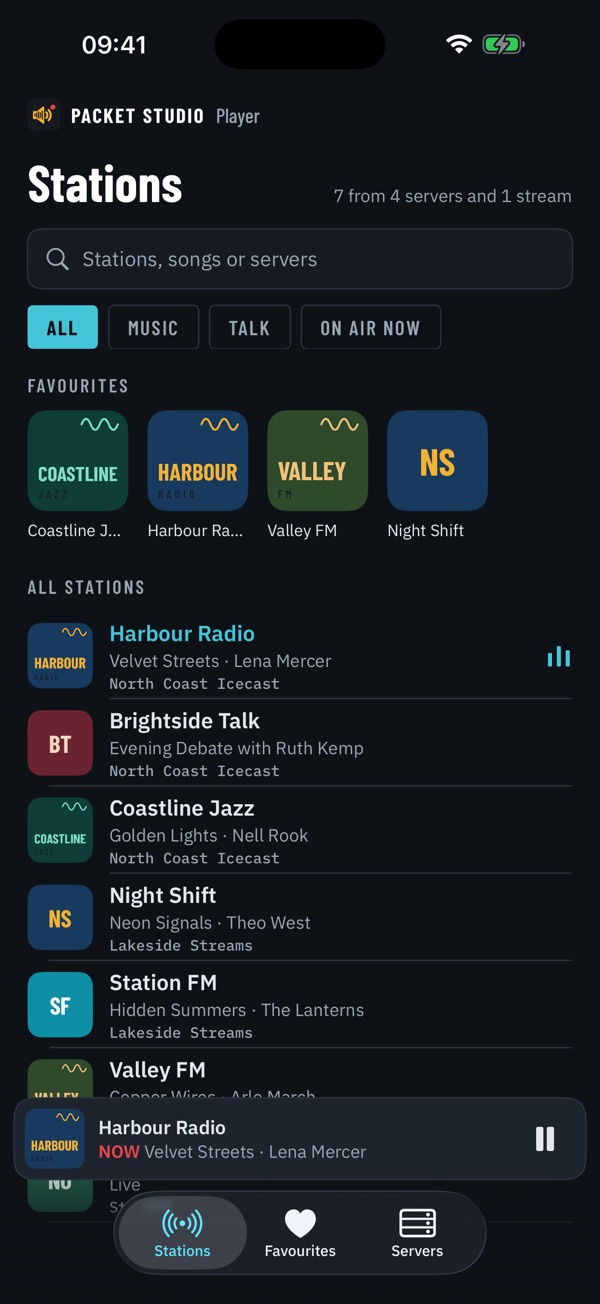
Player is a live internet radio app for the Icecast servers and streams you choose, with station logos and now and next.
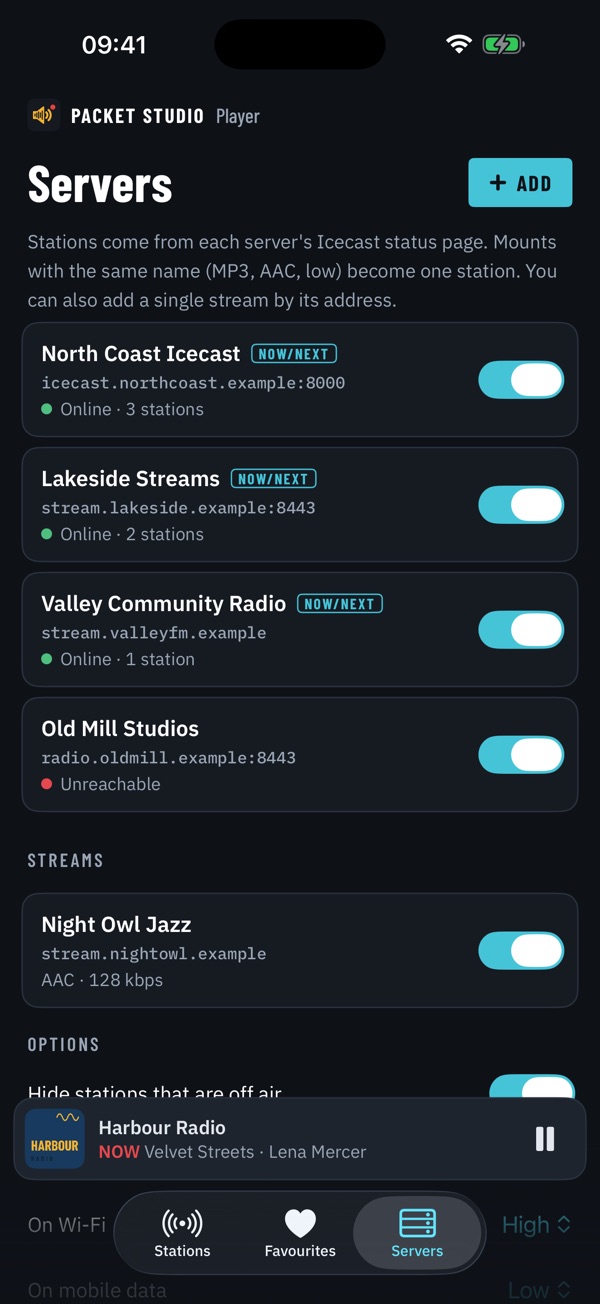
- Your servers and streams
- Add Icecast servers or a single stream address. Every station they carry is listed with its logo.
- Now and next
- See the song playing now on every station, and what's on next for stations running Packet Studio.
- Favourites
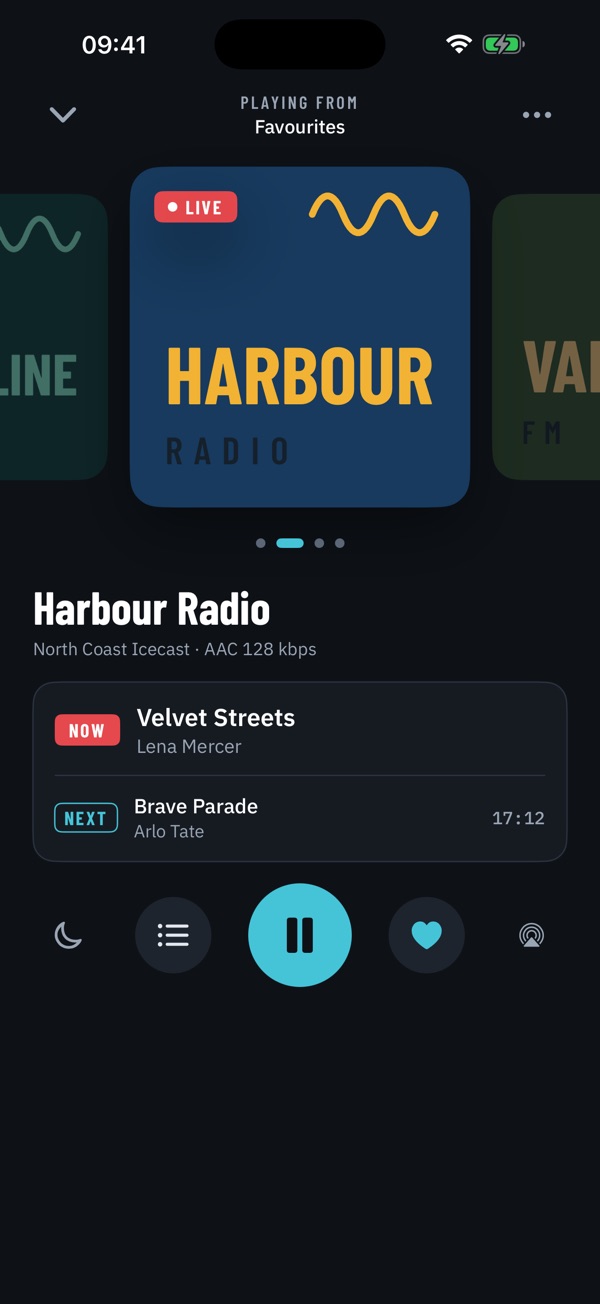
- Keep favourites and swipe between them on the Now playing screen.
- Recent
- Pick up where you left off from Recent.
- In the background and in the car
- Plays in the background and on the lock screen. Headphone and steering wheel controls change station.
- Sleep timer
- Set a sleep timer and let the radio stop by itself.
- Where it runs
- iPhone and iPhone Duo, iPad, Mac, Windows and Android, with CarPlay and Android Auto in the car.
Bigger screens
Player on bigger screens
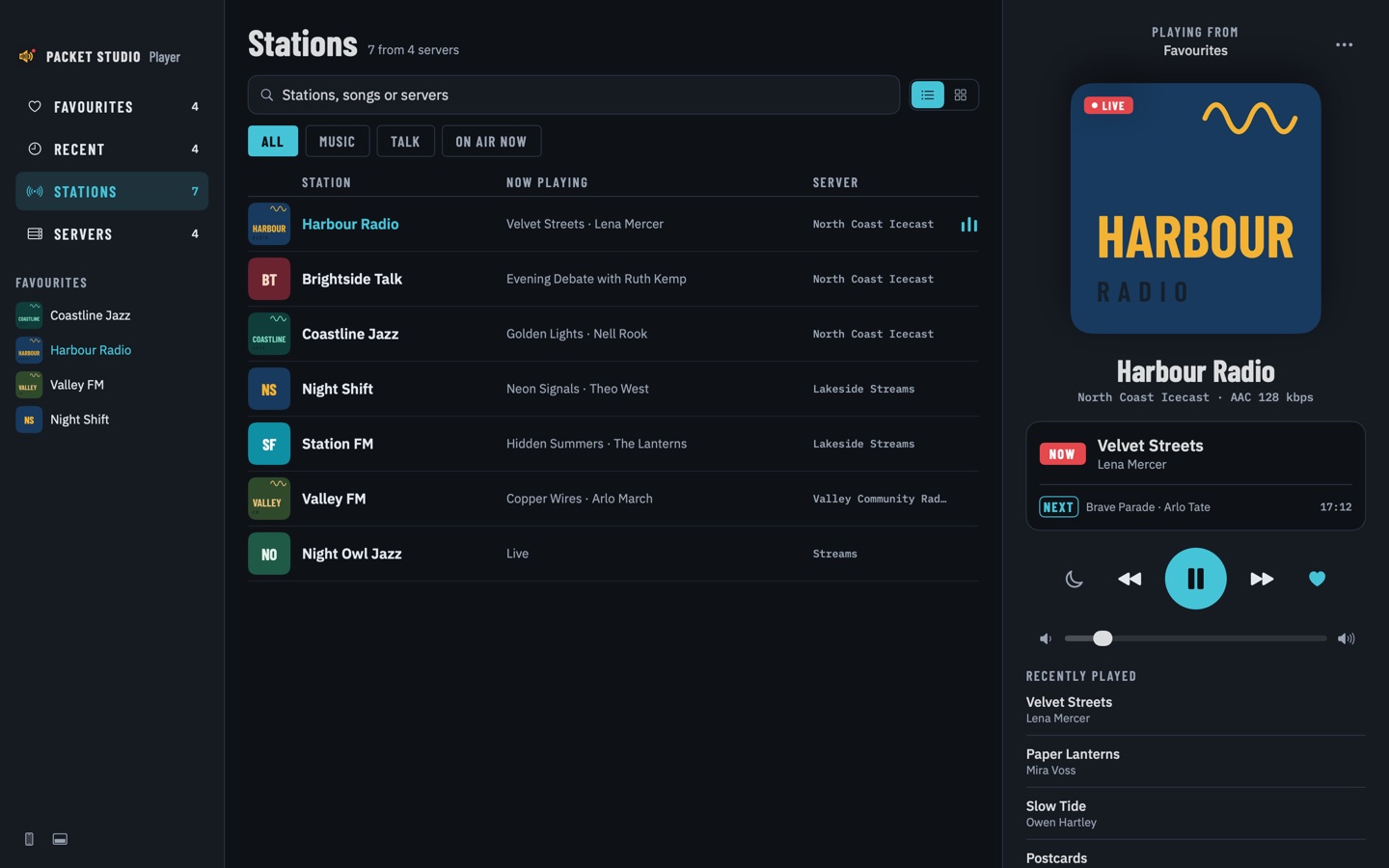
Player is a full app on the Mac, iPad, iPhone Duo and Windows too, with room to see all your stations at once.
- On the Mac
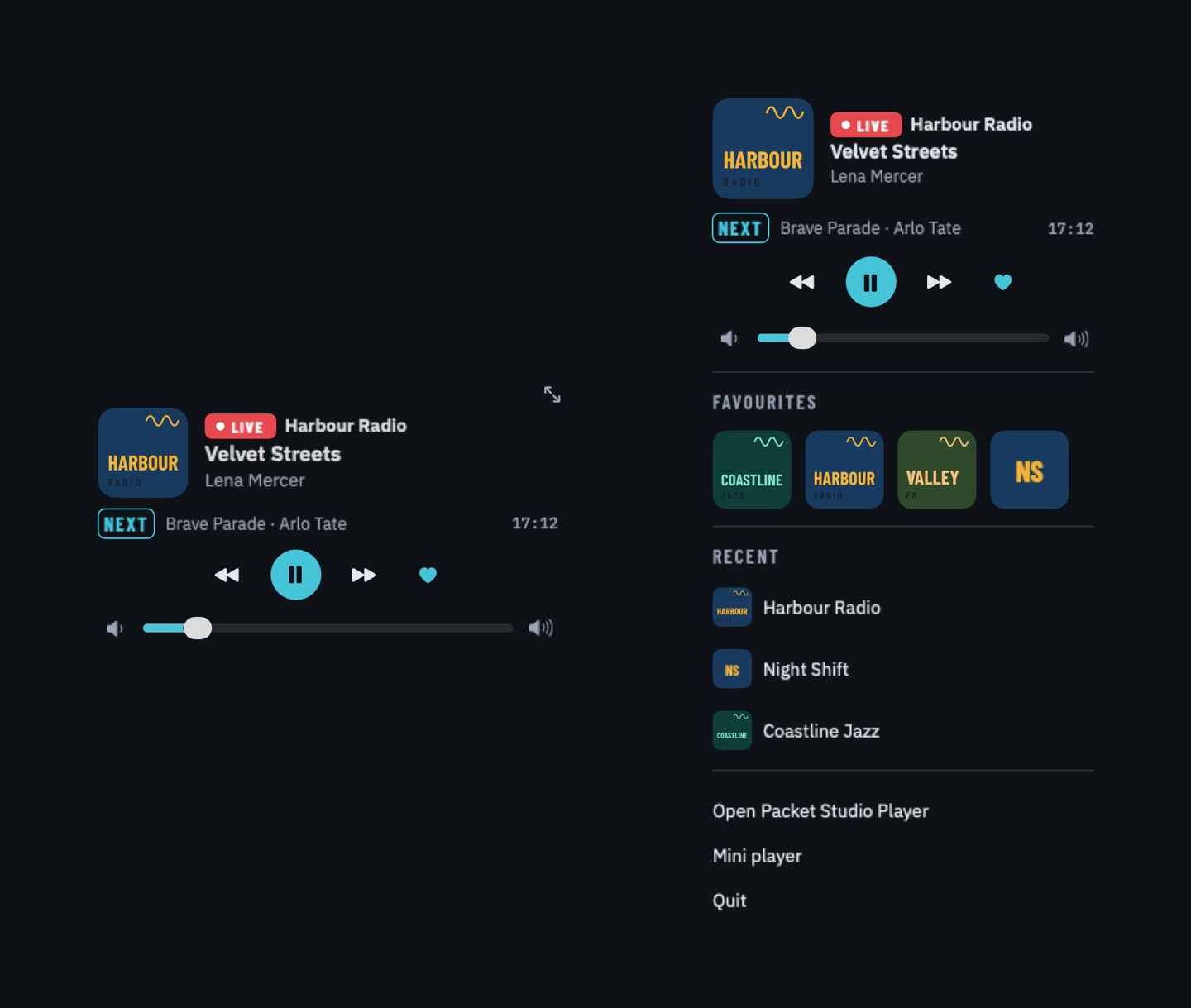
- A native app with three columns: sidebar, station list or logo grid, and Now playing. Choose a compact phone-style window, a mini player, or a menu bar player with an on-air dot. Media keys and Control Centre work.
- iPad and iPhone Duo
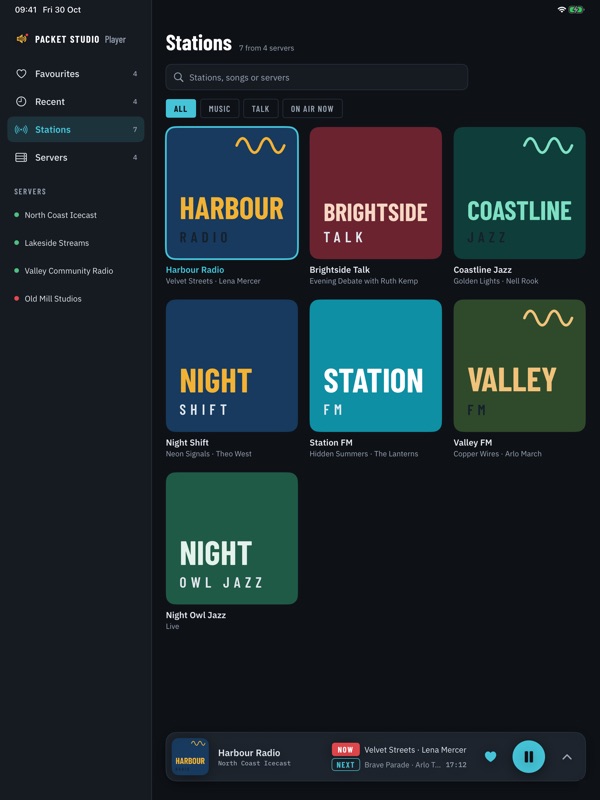
- iPad has a server sidebar, a big logo grid and a player bar, with the phone layout in narrow Split View. iPhone Duo puts the list and Now playing side by side, with a compact player on the outer screen.
- On Windows
- The same large layout, plus a compact layout and a mini player. A tray icon opens a popup player, so the radio stays one click away.
- Light and dark
- Every version has a light and a dark look. Choose System to follow your device, or pick Light or Dark yourself.
What you need
- iPhone, iPhone Duo, iPad, Mac, Windows or Android, with CarPlay or Android Auto in the car
- Nothing from the station to play any Icecast server or stream address
- For stations running Packet Studio: the station's public stream address set in Packet Studio, so the app gets their logo, stream addresses and what's on next